Section outline
-
-
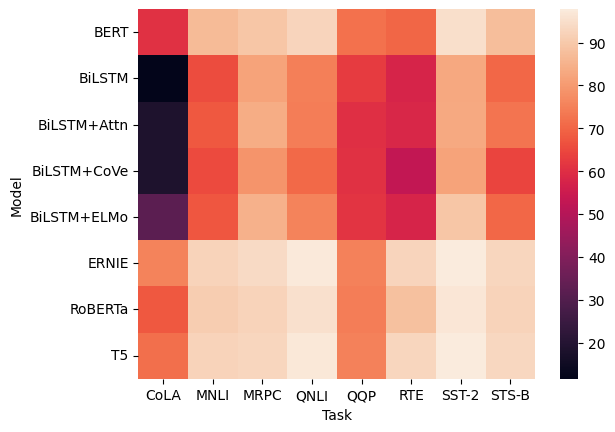
Seaborn also allows you to create heatmaps using heatmap().
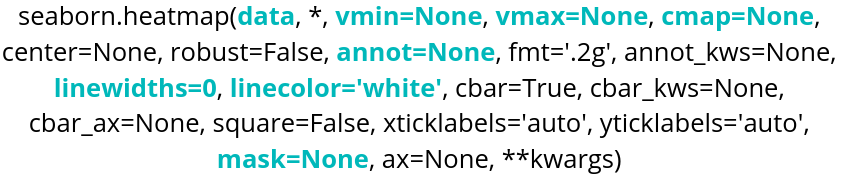
Parameter name Description Format Example data The dataframe you are working on
DataFrame, Series, dict, array, or list of arrays data=table cmap String corresponding to a palette or a Seaborn color_palette cmap=”viridis” or cmap = sns.color_palette("light:blue", as_cmap=True) annot Boolean annot=True, default is False vmin Minimum value that will be taken into account for the colormap. Float vmin=30.6 vmax Maximum value that will be taken into account for the colormap. Float vmax=42 linecolor String corresponding to a color linecolor=”blue” linewidths Float linewidths=0.2 or linewidths=10 mask Parameter used to control the range of values taken into account in the heatmap. Boolean list, same format as data mask=table_mask
Here is an example of code:
glue=sns.load_dataset("glue").pivot(index="Model",columns="Task",values="Score")
sns.heatmap(glue)
We use pivot to format the data in the order we want:
- index defines the variable for the y-axis (ordinates).
- columns defines the variable for the x-axis (abscissas).
- values must be a numerical variable, and it is what the heatmap will use for coloring.
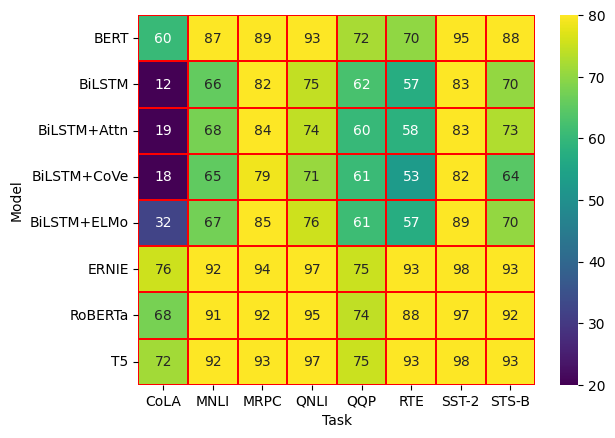
sns.heatmap(glue,cmap="viridis",annot=True,vmin=20,vmax=80,linecolor="red",linewidths=0.1)With the vmin and vmax parameters, we can choose the range of values over which the heatmap will apply, and we also have visual options such as linecolor and linewidths for the lines between the cells.
If we need clustering in the heatmap, we can use Seaborn’s clustermap(). One thing to know is that this function requires SciPy, so it must be installed in the environment you are working in. If you are using Colab, this will not be necessary, as you can import it directly.
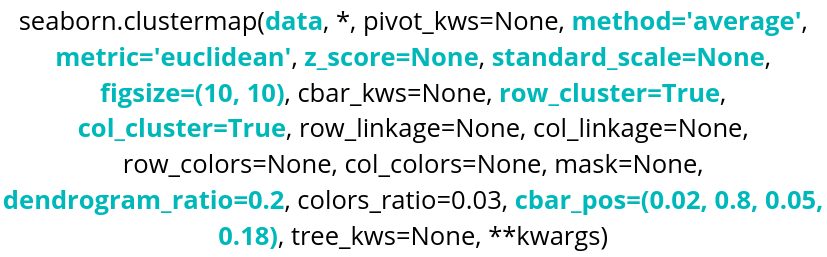
Parameter name Description Format Example data The dataframe you are working on
DataFrame, Series, dict, array, or list of arrays data=table method SciPy method used to perform clustering. String corresponding to a SciPy method. method=’centroid’ metric SciPy metric used for clustering. String corresponding to a SciPy metric. metric=’jaccard’ z_score Parameter used to center and standardize the data. z_score=0 standard_scale Parameter used to normalize the data, without deviation. standard_scale=1 row_cluster,
col_cluster
Boolean row_cluster=False figsize Parameter controlling the size of the figure. tuple (width, height) figsize=(4,4) dendrogram_ratio tuple (row ratio, column ratio) dendrogram_ratio=(0.2,0.1) cbar_pos tuple (left, bottom, width, height) cbar_pos=(0,0.1,0.05,0.6)
iris = sns.load_dataset("iris")
species = iris.pop("species")
sns.clustermap(iris)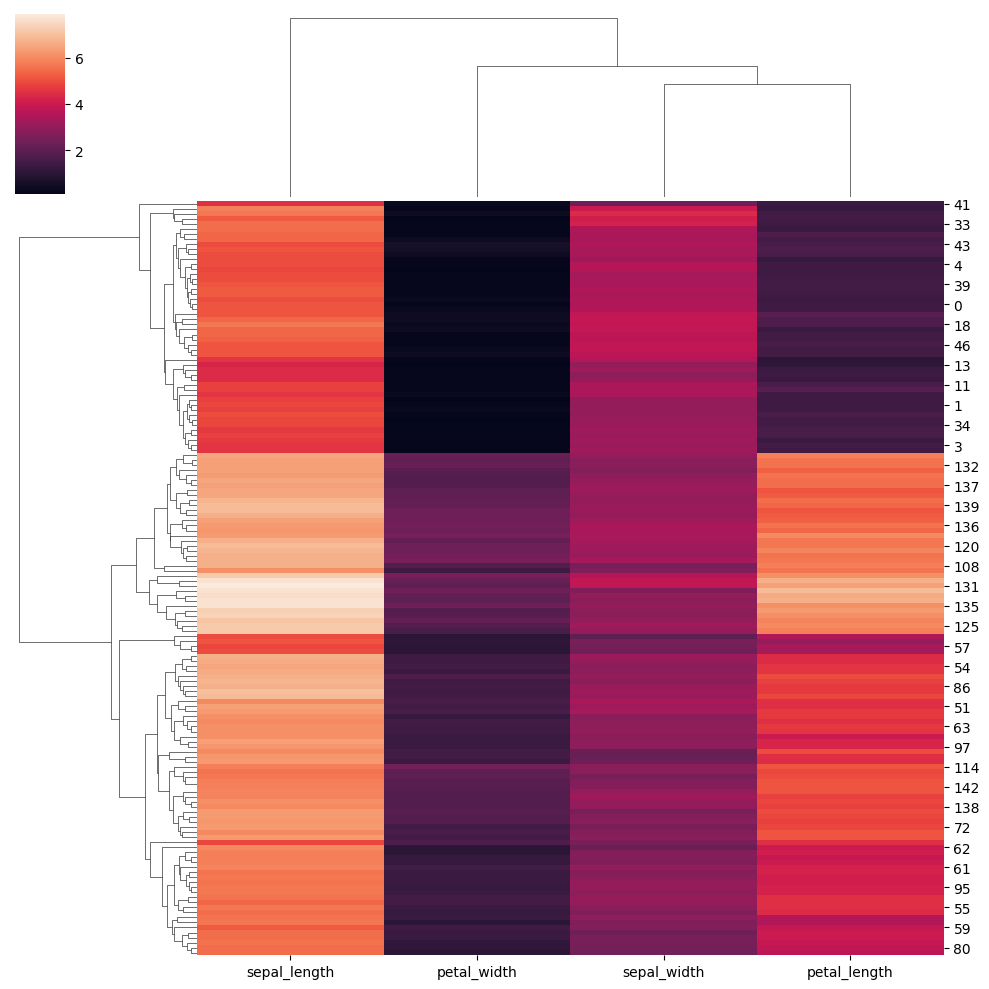
Now let’s explore different parameters:
lut = dict(zip(species.unique(), "rbg"))
row_colors = species.map(lut)
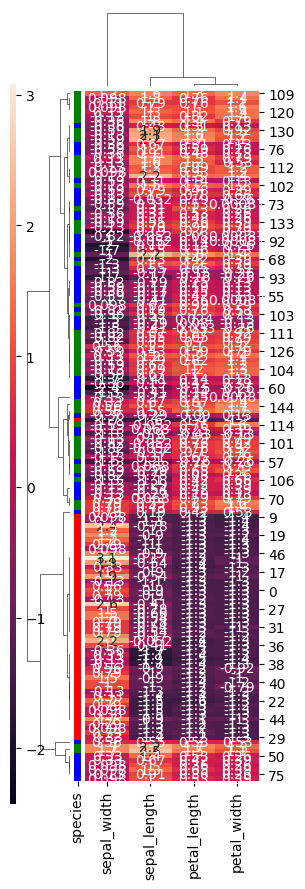
sns.clustermap(iris,row_cluster=True,dendrogram_ratio=(0.2,0.1),row_colors=row_colors,method="weighted",metric="correlation",z_score=1,annot=True,figsize=(3,9),cbar_pos=(0,0.1,0.02,0.8))
row_cluster allows grouping rows based on their similarity in order to reveal clusters. dendrogram_ratio controls the size of the dendrograms: the first value corresponds to the one on the left, and the second to the one at the top. row_colors allows adding a color indicator next to the rows. In this case, using the previous settings, the species of each row is shown. metric defines the similarity (distance) measure used, and method specifies the algorithm used for clustering. Setting z_score to 1 normalizes the data across rows. cbar_pos allows setting the position of the color bar.
-