Section outline
-
-
The displot() function allows you to display different types of distributions.
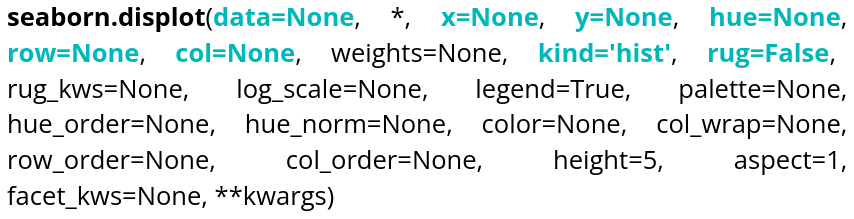
Parameter name Description Format Example data The dataframe you are working on
DataFrame, Series, dict, array, or list of arrays data=table x Variable for the x-axis String corresponding to a variable x="weight" y Variable for the y-axis String corresponding to a variable y=”height” hue Allows to add a variable as different colors String corresponding to a variable hue=”age” row Allows to create a table of plots, controling the number of rows String corresponding to a variable row=”category” col Allows to create a table of plots, controling the number of columns String corresponding to a variable col=”job” kind Type of plot you want String corresponding to a type kind=”hist”,kind=”kde” ou kind=”ecdf” rug Allows to see individual data points on the axes Boolean rug=True Here is an example code that creates a histogram:data = sns.load_dataset("penguins") sns.displot(data=data, x="bill_length_mm", rug=True, hue="sex", bins=20) plt.show()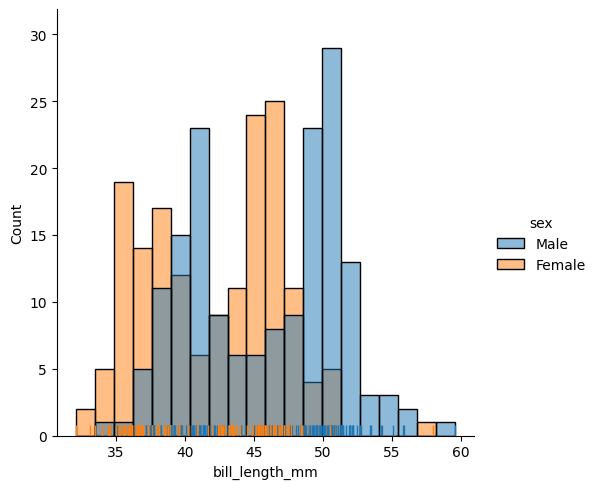
If you don’t specify the data for the y-axis, it will represent the number of occurrences, and if you don’t specify the kind, it defaults to a histogram. The bins argument controls the number of bars.
We also have access to kernel density estimation (KDE) to estimate a distribution. Here is an example of how to use it:
data = sns.load_dataset("penguins")
sns.displot(data=data,x="bill_length_mm", rug=True, hue="sex", kind="kde")
plt.show()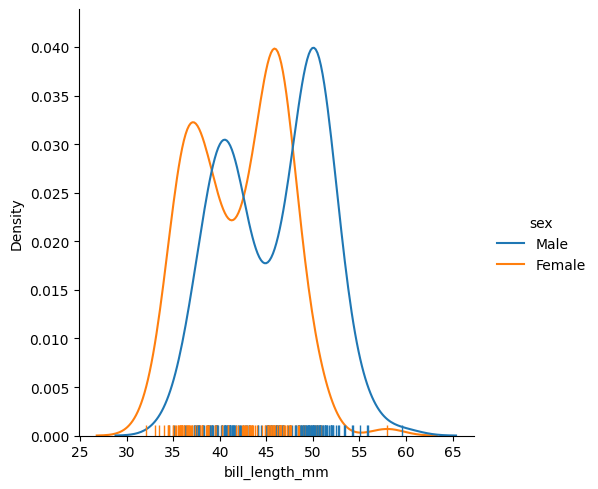
If you specify a variable for the y-axis:
data = sns.load_dataset("penguins")
sns.displot(data=data,x="bill_length_mm", y="bill_depth_mm", rug=True, hue="sex", kind="kde")
plt.show()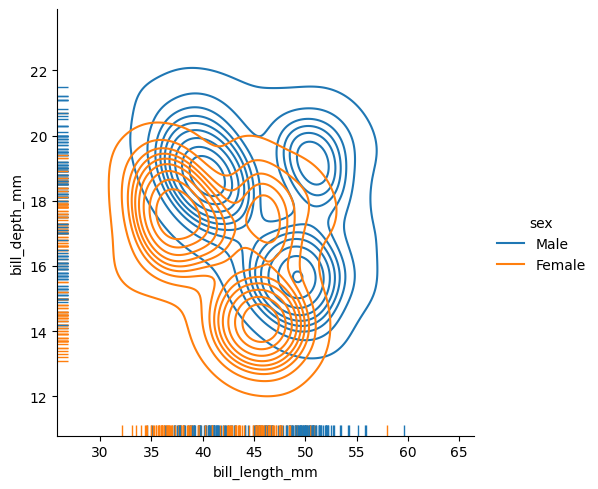
The rug parameter allows you to display individual observations along the axes of the plot.
The last type of distribution available is the ECDF (empirical cumulative distribution function). You cannot specify a y variable for this distribution since it is univariate.
data = sns.load_dataset("penguins") sns.displot(data=data, x="body_mass_g", rug=True, hue="sex", kind="ecdf", row="species", col="sex", height=5) plt.show()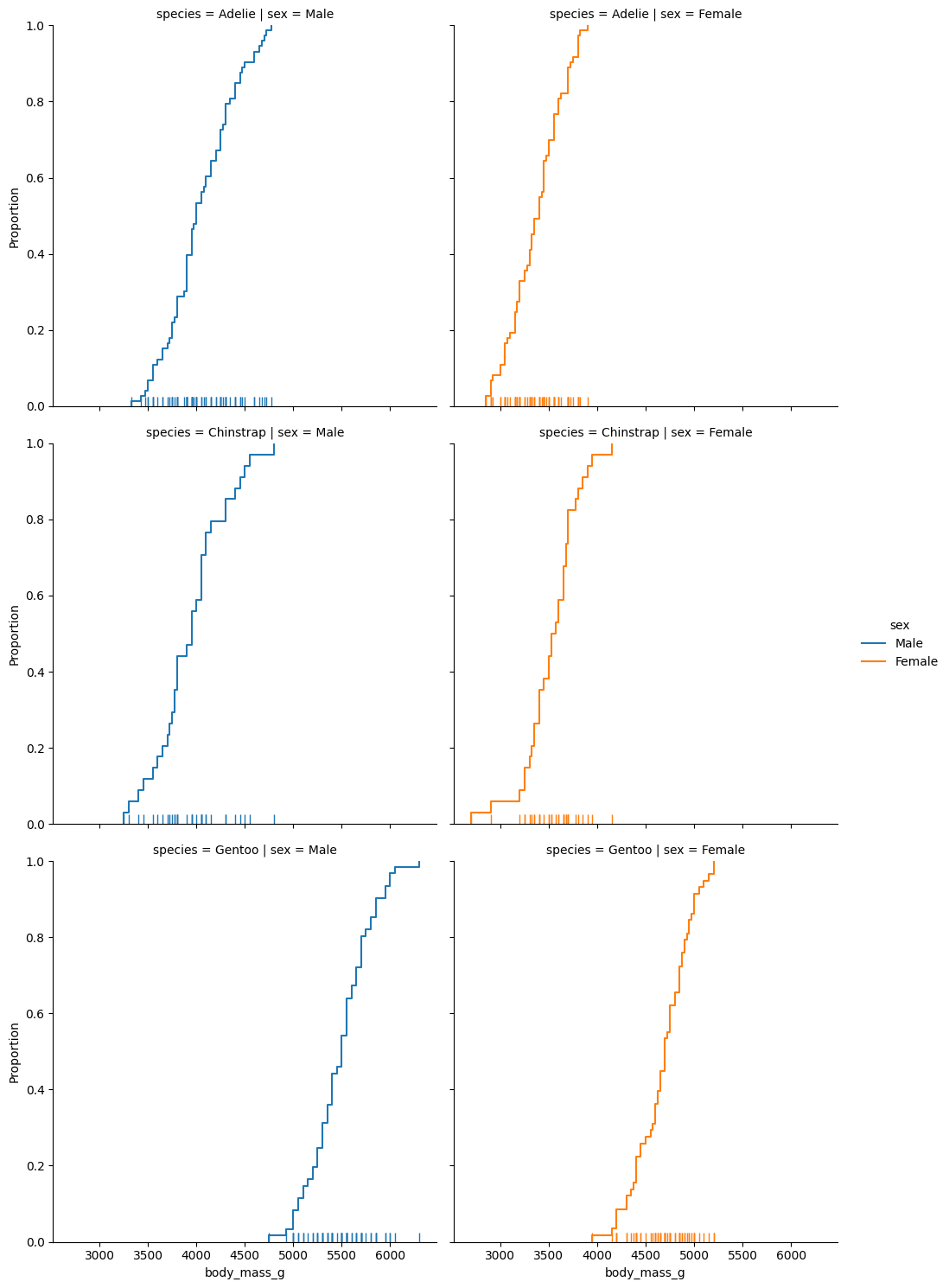 The row parameter allows you to display additional plots based on another variable in the dataset. The height parameter controls the height of the plots.
-